
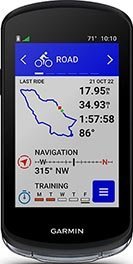
This post will help you to choose between the Garmin Edge 540 vs 840 vs 1040. These are three recent, major upgrades to the Garmin lineup of industry-leading bike computers. They are the top three in the line-up of what most people agree are the premium bike computers available. (And we happen to agree too.) In this post we sum up what is new about all three of them. And we clearly highlight the differences, so you can make up your own mind which one would be better value for you. We start with a quick look at the current prices. Then, please go ahead and dive right into our in-depth comparative chart. It will show you at a glance what you can expect from all three units, and the key differences between the Garmin Edge 540 vs 840 vs 1040.
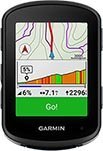 | |  | | 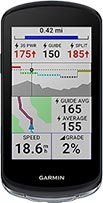 | |
Chart Showing Differences between the Garmin Edge 540 vs 840 vs 1040, and all Shared Features
 | |  | |
|---|---|---|---|
| If you are viewing on a smart phone, please turn your phone sideways so you can see the chart better | |||
| Best Price Right Now on Amazon | Best Price on Amazon Right Now for Solar Version: . Best Price on Amazon Right Now for NON-Solar Version: | Best Price on Amazon Right Now for Solar Version: . Best Price on Amazon Right Now for NON-Solar Version: | Best Price on Amazon Right Now for Solar Version: . Best Price on Amazon Right Now for NON-Solar Version: |
| BEST SUITED FOR? | This is the LATEST UPDATE. Best suited to cyclists who want: • An upgraded, superior user interface that you navigate with 7 buttons. • The ability to configure the bike computer on your smart phone. • Nothing but the very best and the very latest premium training features. • Turn-by-turn navigation, but only on routes you download in advance, or on destinations you choose from Yelp Points of Interest. • Free preloaded routable cycle map of all of your region (e.g. North America or Europe), plus Trailforks (worldwide MTB trail data). • FreeRide ClimbPro preloaded. • Enhanced accuracy and responsiveness. • The option of solar assistance for increased battery life on very long rides. • Also well suited to those who do a lot of hills, thanks to the upgraded ClimbPro FreeRide that shows you the details of all climbs, even if you have not downloaded a course. | This is the LATEST UPDATE. Best suited to cyclists who want: • An upgraded, superior user interface that you can easily navigate with the combination of both an excellent touch screen and 7 buttons. • The ability to configure the bike computer on your smart phone. • Nothing but the very best and the very latest premium training features and also best-in-class navigation. Includes the ability to input a street address and have the unit direct you to it. • Full-featured turn-by-turn navigation to all destinations, including addresses you search for, routes you download in advance, or on destinations you choose from Yelp Points of Interest. • Free preloaded routable cycle maps of all of North America and Europe; plus Trailforks (worldwide MTB trail data). • FreeRide ClimbPro preloaded. • Enhanced accuracy and responsiveness. • The option of solar assistance for increased battery life on very long rides. • Also well suited to those who do a lot of hills, thanks to the upgraded ClimbPro that shows you the details of all climbs, even if you have not downloaded a course. | This is the LATEST UPDATE. Best suited to cyclists who want: • A huge screen, which is especially useful when using maps. • An upgraded, superior user interface that you can easily navigate with the combination of both an excellent touch screen and 7 buttons. • The ability to configure the bike computer on your smart phone. • Nothing but the very best and the very latest premium training features and also best-in-class navigation. Includes the ability to input a street address and have the unit direct you to it. • Full-featured turn-by-turn navigation to all destinations, including addresses you search for, routes you download in advance, or on destinations you choose from Yelp Points of Interest. • Free preloaded routable cycle maps of all of North America and Europe; plus Trailforks (worldwide MTB trail data). • FreeRide ClimbPro preloaded. • Enhanced accuracy and responsiveness. • The option of solar assistance for increased battery life on very long rides. • Also well suited to those who do a lot of hills, thanks to the upgraded ClimbPro that shows you the details of all climbs, even if you have not downloaded a course. |
| Size of Unit | 2.3" x 3.4" x 0.8" (57.8 x 85.1 x 19.6 mm) | 2.3" x 3.4" x 0.8" (57.5 x 85.1 x 20 mm) | 2.3" x 4.6" x 0.8" (59.3 x 117.6 x 20.0 mm) |
| Display Resolution | 246 x 322 pixels, color | 246 x 322 pixels, color | 282 x 470 pixels, color |
| Weight | Solar: 3 oz (84.9 g) Non-Solar: (2.8 oz) 80.3 g | Solar: 3.1 oz (88.9 g) Non-Solar: 3 oz (84.8 g) | Solar: 4.7 oz (133 g). Non-Solar: 4.4 oz (126 g) |
| Waterproof rating | |||
| Display size | 2.6" (66 mm) diagonal, color | 2.6" (66 mm) diagonal, color | 3.5" (88.9 mm) diagonal, color |
| Internal storage | 16 GB | 32 GB | 32 GB (64 GB on the solar edition) |
| Charging | USB-C (Garmin-specific for connection to Garmin online; generic for charging) | USB-C (Garmin-specific for connection to Garmin online; generic for charging) | USB-C (Garmin-specific for connection to Garmin online; generic for charging) |
| Touchscreen or button control? | 7 buttons, NO touchscreen | Excellent touchscreen COMBINED with 7 buttons, for ultimate user control. You can choose whether to use buttons or touchscreen exclusively, and in many cases you will find yourself using a seamless integration of both (as we do with smart phones) | Excellent touchscreen with 3 buttons |
| Battery Life | Up to 26 hours in GPS training mode, up to 48 hours in battery saver mode | Up to 26 hours in GPS training mode, up to 48 hours in battery saver mode | Up to 35 hours in GPS training mode, up to 70 hours in battery saver mode. With solar, up to 45 hours in GPS mode, and up to 100 hours in battery saving mode |
| Battery Save Mode (extends battery life by up to 50% while still tracking all ride data) | Yes | Yes | Yes |
| Option to add Garmin Charge Power Pack (to double battery life)? | Yes | Yes | Yes |
| Bike alarm that connects with your phone? | Yes | Yes | Yes |
| Find my bike computer? | Yes | Yes | Yes |
| | | |
| Best Price Right Now on Amazon | Best Price on Amazon Right Now for Solar Version: . Best Price on Amazon Right Now for NON-Solar Version: | Best Price on Amazon Right Now for Solar Version: . Best Price on Amazon Right Now for NON-Solar Version: | Best Price on Amazon Right Now for Solar Version: . Best Price on Amazon Right Now for NON-Solar Version: |
| Buttons and Touchscreen | The Edge 540 has 7 good buttons, but it does not have a touchscreen. | On the other hand, the Garmin Edge 840 has an excellent touchscreen, plus it also has 7 buttons. This makes the new User Interface very easy to use, and it makes it easier to scroll through maps and screens than with the Edge 540. For us, this single difference is enough to elevate the 840 to being our clear choice. | The Edge 1040 has an excellent touchscreen as well, but only 3 buttons. This upgrade was released before the 840, and it shows in this aspect. The 7 buttons on the 840 mean you can control it completely without the touchscreen; but you do not have this option on the 1040. |
| Maps Preloaded | If you buy your Edge bike computer in North America (Mexico, the USA, or Canada), the Edge 540 comes preloaded with maps for all of North America. | If you buy your Edge bike computer in North America (Mexico, the USA, or Canada), the Edge 840 comes preloaded with maps for all of North America and Europe as well. | If you buy your Edge bike computer in North America (Mexico, the USA, or Canada), the Edge 1040 comes preloaded with maps for all of North America and Europe as well. The Edge 1040 Solar comes preloaded with even more maps |
| Storage on the Unit | 16 GB. Note that all three units have the same amount of on-device storage for data - 200 locations/waypoints, 100 courses and up to 200 hours of ride history.+ | 32 GB (to accommodate all the maps and hill profiles). | 32 GB (to accommodate all the maps and hill profiles). 62 GB on the solar version (to accommodate even more maps) |
| Street Address Search | You cannot input a street address | You can input a street address and the Edge 840 will figure out a route and give you directions to ride to it | You can input a street address and the Edge 1040 will figure out a route and give you directions to ride to it |
| Can You Build Structured Workouts Directly on the Unit? | No, you have to build them on your phone and then download them to the unit | Yes, you can. However, it is really not fun to do this. You are much better off doing this on the unit and then downloading the workouts to your Garmin Edge 840. | Yes, you can. However, it is really not fun to do this. You are much better off doing this on the unit and then downloading the workouts to your Garmin Edge 840. |
| Does it Have Pre-Activated TrailForks? | TrailForks is loaded on the unit, but not activated. You have to spend a couple of minutes activating it. Garmin TrailForks is the world’s largest mountain biking trail map. | TrailForks is both pre-downloaded and pre-activated on the Garmin Edge 840 | TrailForks is both pre-downloaded and pre-activated on the Garmin Edge 1040 |
| Price | About $100 cheaper than the 840 | About $100 more expensive than the 540 | About $130 more expensive than the 840 |
| | | |
| Best Price Right Now on Amazon | Best Price on Amazon Right Now for Solar Version: . Best Price on Amazon Right Now for NON-Solar Version: | Best Price on Amazon Right Now for Solar Version: . Best Price on Amazon Right Now for NON-Solar Version: | Best Price on Amazon Right Now for Solar Version: . Best Price on Amazon Right Now for NON-Solar Version: |
| What the Feature is Called | What the Feature Does | ||
| Multi-Band GNSS/GPS (Global Navigation Satellite System/Global Positioning System) | State-of-the-art positional accuracy and coverage — even in the most challenging environments — with multi-system, multi-band GPS technology. Rated most accurate bike computers ever for this mapping function, especially in tough conditions. Uses the best GPS system available in the world today. | ||
| Event Goals | Add a race to your calendar, and the Edge 540, 840 and 1040 will help you to train for it by providing daily suggested workouts. | ||
| Adaptive, Targeted Coaching | All three bike computers give you daily suggested workouts, plus training prompts. They also provide personalized coaching based on your planned event. The coaching adapts to your current training load and recovery status. | ||
| Configuration on Phone | Now, you can finally configure all three of these Garmin Edge bike computers on your phone, bringing Garmin in line with Wahoo. This makes for a much easier set up and configuration. Of course, this is compatible with both Android and Apple. | ||
| Updated and more user-friendly User Interface | The user interface on all three of these bike computers is much improved vs previous models, including better fonts, more granular detail on graphics such as Climb profiles, improved navigation, Connect IQ widgets right on the home page, and very nice ride summary page. | ||
| Cycling Ability and Course Demands | Based on your personal cycling records, the Edge 540, 840 and 1040 will try to define your cycling strengths, and measure them up against the course demands. For example, they will decide if you are a "flats specialist" or an "endurance specialist". Will you be up to this course? Which parts will be more challenging for you? (Requires the unit to be paired with your power meter and heart rate monitor). | ||
| Type-Specific Maps | Improved maps highlight popular roads and trails, plus searchable points of interest (POIs). | ||
| Forksight Mode within Trailforks App | Automatically displays upcoming forks in the trail, with context (shows you where you are within the trail network). | ||
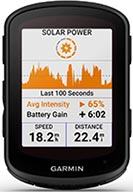
| Solar Option to extend battery life further (for a substantial extra cost) | For an extra cost, you can get the version that has solar power built into the hardware. | ||
| Power Guide/Stamina Insights | Using your own personal history and preferences, the bike computer will help you to pace yourself over a course. For example, for each segment it will show you a Power Target that will enable you to hit your time goal. Similar to what you can do with the app Best Bike Split. But it is better than Best Bike Split, because you can adjust your aims mid-ride. | ||
| Hardware change: USB-C charging port | With these model,s Garmin has FINALLY switched from a mini USB to a USB-C charging port. However, note that while you can use a generic USB-C to USB-A cord for charging, you will need the Garmin-specific cord that ships with the unit to connect to Garmin online. | ||
| Up Ahead Waypoints | As seen on the Fenix 7. You can add Waypoints to a course on Garmin Connect, with custom icons. Then as you are riding, you will see a forecast of upcoming waypoints, and estimated time to arrive there. | ||
| Real Time Stamina | As seen on the Fenix 7. This is intended to help you figure out pacing on a ride. It shows you your stamina levels during the ride, so you have an idea of how much more you have "in your tank". | ||
| ClimbPro FreeRide | This great feature that shows you every detail of hills as you approach them and as you climb them, is now available on every ride you do (hence the name FreeRide). Previously, you had to preload a course. The unit has every climb preloaded. It will guess your upcoming choice of route, and show you the climbing gradient accordingly. If you make a sudden unexpected turn, it simply recalculates. Note: this update puts Garmin on a par with Hammerhead Karoo bike computers, which have had this feature for a while. However, Garmin does it a lot better, thanks to having better data in their maps. | ||
| ClimbPro Explore | This widget lets you explore your surroundings and look for a climb you would like to do. Once you find one, the unit will help you to get to it by providing full navigation. | ||
| Hardware Change - Replaceable Mounting Tab | Previous Garmins had a non-replaceable plastic tab on the back of the unit to attach to your Garmin mount. These upgraded models retain the tab, but there are 2 little screws so that you can replace the tab, if you happen to break it. | ||
| | | |
| Best Price Right Now on Amazon | Best Price on Amazon Right Now for Solar Version: . Best Price on Amazon Right Now for NON-Solar Version: | Best Price on Amazon Right Now for Solar Version: . Best Price on Amazon Right Now for NON-Solar Version: | Best Price on Amazon Right Now for Solar Version: . Best Price on Amazon Right Now for NON-Solar Version: |
| Satellite Systems: | |||
| Barometric Altimeter? | |||
| Accelerometer? | |||
| Ambient Light Sensor? | |||
| Free maps preloaded | |||
| Can you download other countries for free, and swap out maps? | |||
| Waypoints | |||
| How many routes can you save on the device? | |||
| How much history can you store on the device? | |||
| Address search (input address and it will plot a route)? AKA On-Device Course Creator | |||
| Popularity routing (Trendline) - shows routes used most by cyclists? | |||
| Turn-by-turn navigation? | |||
| Recalculate route on the device? | |||
| New re-routing options? | Yes. Choose from Rejoin where you left course; Skip ahead to course; or Cut across. Plus you can Pause the route while you dart off to a coffee shop or a photo opp | Yes. Choose from Rejoin where you left course; Skip ahead to course; or Cut across. Plus you can Pause the route while you dart off to a coffee shop or a photo opp | Yes. Choose from Rejoin where you left course; Skip ahead to course; or Cut across. Plus you can Pause the route while you dart off to a coffee shop or a photo opp |
| Calculate route back to start? | |||
| Can you create a custom course on the unit (this is a sequence of waypoints or locations that leads you to your final destination)? | |||
| Create a round-trip route on the device? | |||
| Find nearby POI (points of interest)? | |||
| | | |
| Best Price right now on Amazon | Best Price on Amazon Right Now for Solar Version: . Best Price on Amazon Right Now for NON-Solar Version: | Best Price on Amazon Right Now for Solar Version: . Best Price on Amazon Right Now for NON-Solar Version: | Best Price on Amazon Right Now for Solar Version: . Best Price on Amazon Right Now for NON-Solar Version: |
| How does it communicate with your phone and other devices? | Bluetooth Smart (aka BLE or Bluetooth Low Energy), ANT+, Wi-Fi | Bluetooth Smart (aka BLE or Bluetooth Low Energy), ANT+, Wi-Fi | Bluetooth Smart (aka BLE or Bluetooth Low Energy), ANT+, Wi-Fi |
| Time & date display? | |||
| Smart notifications? | |||
| Can you respond to a phone call with text on your Android phone? | |||
| Rider to Rider messaging? | |||
| Does it display the weather and weather alerts? | |||
| Garmin Connect compatible? (this is an online community where you can share data, plys analyze - like Strava) | |||
| Automatically syncs your rides to your computer? | |||
| Unit to unit transfer (share your data with friends with similar units)? | |||
| LiveTrack | |||
| Group LiveTrack? | |||
| Incident detection (so someone is automatically notified if you have an accident)? | |||
| LEV/ebike compatibility via ANT+ or Shimano Steps? | |||
| Compatible with heart rate monitors, plus power, speed and cadence sensors? | |||
| ANT+ shifting? | |||
| Shimano Di2 electronic shifting integration? (“Digital Integrated Intelligence” enables instant electronic shifting) | |||
| Can it download free apps and widgets from the Connect IQ™ store? | |||
| Compatible with Garmin VIRB video camera? | |||
| Compatible with Garmin inReach 2-way satellite communicator (to send your location if you need assistance and your cell phone cannot connect)? | |||
| Garmin Varia Compatible? | |||
| Can you control it with a Garmin Edge remote control? | |||
| Does it have Extended Display (so you can use your bike computer as an extended display to view data screens from a compatible Garmin mulitsport watch)? | |||
| | | |
| Best Price Right Now on Amazon | Best Price on Amazon Right Now for Solar Version: . Best Price on Amazon Right Now for NON-Solar Version: | Best Price on Amazon Right Now for Solar Version: . Best Price on Amazon Right Now for NON-Solar Version: | Best Price on Amazon Right Now for Solar Version: . Best Price on Amazon Right Now for NON-Solar Version: |
| Autostart (so your timer will start automatically once you are cycling at a custom speed)? | |||
| Can You Customize Your Data Pages? | |||
| Interval training? | |||
| Advanced workouts? (so you can create customized, goal-directed workouts) | |||
| Daily Workout Suggestions? | |||
| Can You Download Training Plans to It? | |||
| Can You Create Workouts on the unit itself? | |||
| Virtual Partner (so you can compete against a digital cyclist)? | |||
| VO2 Max estimate? (the maximum amount of oxygen a person can utilize during intense exercise) | |||
| FTP tracking? (Functional Threshold Power is the average power that a rider can produce over the course of an hour) | |||
| Will it Advise You on Recovery Time? | |||
| Time in heart rate training zone? | |||
| TrainingPeaks iLevels (WKO4) | |||
| ClimpPro (feature that shows you graphically the grades ahead, and all details of hills as you ride them as well)? | |||
| Power Meter Compatible? | |||
| Performance Power Curve? (tracks your power output over periods of time) | |||
| Advanced Power Analysis? | |||
| Does it have Physio TrueUP (a Garmin Connect feature that keeps physiological data in sync between multiple devices)? | |||
| Does it compute calories based on heart rate? | |||
| Strava Live Segments on the unit? | |||
| Aerobic training effect? | |||
| Heat acclimation (how well are you adjusting to heat)? | |||
| Altitude acclimation (how well are you adjusting to changes in altitude)? | |||
| Water and calorie requirements (reminders based on course)? | |||
| Auto Pause (so it stops recording when you stop your bike)? | |||
| Smart Trainer Control? | |||
| | | |
| Best Price Right Now on Amazon | Best Price on Amazon Right Now for Solar Version: . Best Price on Amazon Right Now for NON-Solar Version: | Best Price on Amazon Right Now for Solar Version: . Best Price on Amazon Right Now for NON-Solar Version: | Best Price on Amazon Right Now for Solar Version: . Best Price on Amazon Right Now for NON-Solar Version: |
| Grit rating (how tough is the route)? | |||
| Flow rating (how well did you ride the route)? | |||
| Hang time (how long were you in the air when jumping, how far did you go)? | |||
| Integrated Trailforks? (130,000 trails preloaded on unit) | |||
| | | | | |
Key Differences between the Garmin Edge 540 vs 840 vs 1040


At first glance, these three bike computers appear very similar. Certainly, the 540 and 840 are pretty much identical. So what are the differences underneath the hood? Below, we have summarized all of the differences for you.
Related Post: Garmin Edge 530 vs. 540: What’s the Difference?
Difference #1: Buttons and Touchscreen
The Garmin Edge 540 has seven buttons that you can use to control the new and much improved User Interface. (This updated and more user-friendly UI is found on all three bike computers.) The buttons are new and improved too. Compared to previous Garmins, they have a much more buttony feel, rather than a marshmallow feel.
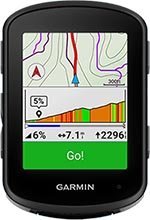
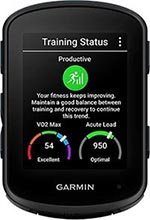
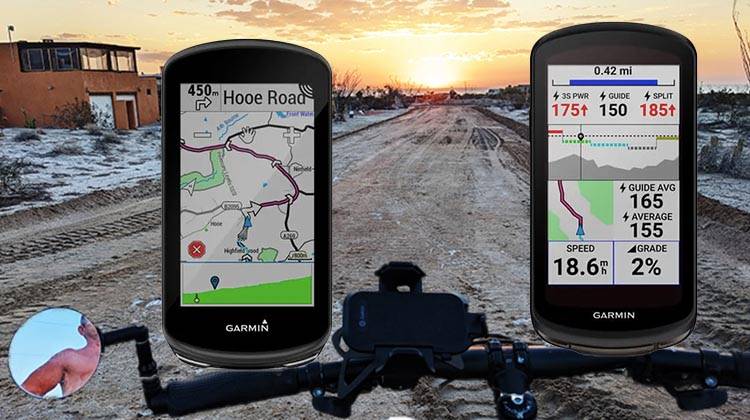
But the most significant thing is that the Garmin Edge 840 has the same 7 buttons, plus also an excellent touchscreen. The previous Garmin Edge, the 830, had only 3 buttons, and they were not “buttony.” So basically as you navigate the various menus of the 840, you have the choice of using a touchscreen or buttons, or both. This makes for fast and intuitive navigation. In particular, it makes the maps much easier to use. And of course, any kind of scrolling is easier with a touchscreen than with buttons.
Also, the new User Interface does seem to have been designed with a touchscreen in mind. Some of the functions are just much easier with the touchscreen than with buttons only.

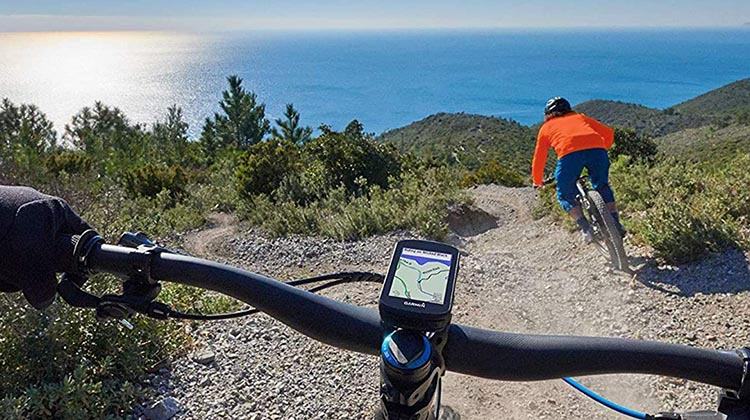
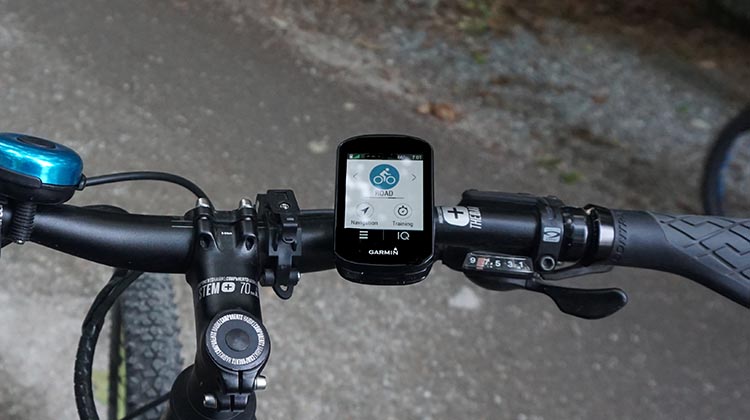
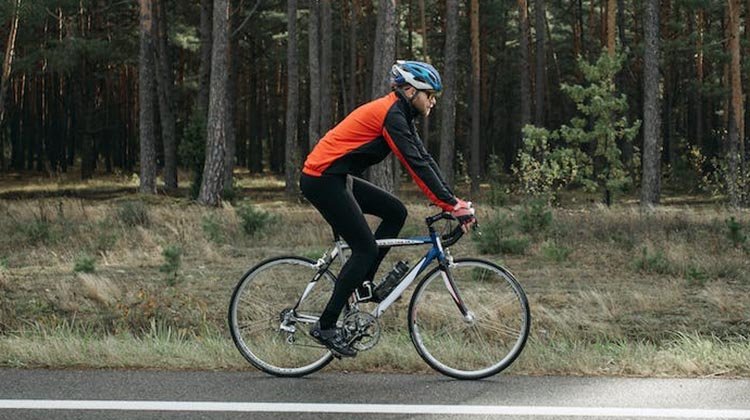 When you’re enjoying a fast bike ride in a beautiful setting, having an easy-to-use bike computer really does enhance the experience
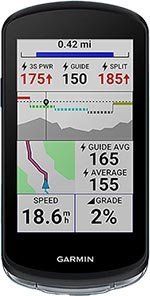
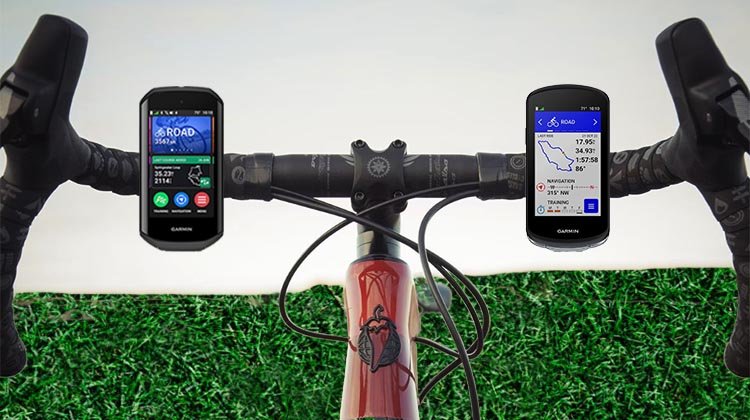
Interestingly, the Garmin Edge 1040 only has three buttons. The 1040 was released before the 840, and we think that the 840 actually represents a significant improvement on the 1040. It is great to have the choice of touchscreen OR buttons, depending on the weather, and if you are wearing gloves, etc. The only one of the three computers that gives you this choice is the Edge 840.
For us, this single difference is enough to elevate the 840 to being a no-brainer choice over the 540 or 1040. The enhanced ease of use is invaluable. The only time you might still want to consider the 1040, is if you are someone who uses maps a lot, and your vision is a little challenged. In this case, the much larger screen of the 1040 might make it a better choice. Plus, the larger screen size does make the touchscreen that much easier to use (easier to hit the right button), so that could offset the fact that you do not get as many buttons.
 |  |  |
|---|
Difference #2: Maps Preloaded on the 540 vs 840 vs 1040
Assuming you are buying your Edge bike computer in North America (Mexico, the USA, or Canada), the Edge 54o comes preloaded with maps for all of North America, while the Edge 840 and 1040 comes with those, plus all of Europe as well. The country regions depend on where you buy your Edge bike computer. There are maps available for your Garmin Edge bike computer for all of the following regions: North America, Europe, Japan, China, Hong Kong and Macao, Korea, Philippines, Taiwan, Indonesia, Africa, Australia and New Zealand, Middle East and Central Asia and South America.
Note that the 1040 SOLAR comes preloaded with even more maps – basically you get Australia and New Zealand preloaded as well.
Difference #3: Street Address Search
The 840 and 1040 have complete navigation, while the 540 does not. The basic difference is that you can use the Edge 840 and 1040 just like you would use Google Maps for directions. You type in the address you want to go to, and they will instantly calculate the best bike route to get there.
This draws on Trendline Popularity Routing. This uses billions of miles of Garmin Connect data to help cyclists find the best routes for cycling. This feature has actually saved me on more than one occasion when I got lost on very long bike rides. Once you accept the proposed route, you get turn-by-turn directions to follow the route, plus audible prompts if you go off-route. This makes following a route quite easy.


The Edge 540 will also give you directions and prompts. However, it can only do this if you downloaded your destination and route before you left home. It can figure out routes on the road in limited situations, such as when you find Points of Interest on Yelp (which comes preloaded on the unit).
This difference would only be a deal breaker if you are someone who is likely to want to do street address searches while out on your bike. If you are never going to do it, it really does not matter whether you have a 540 or an 840 or a 1040. (Except for the whole buttons and touchscreen aspect – see above under point #1.)
However, if you are someone who is going to want the best possible suite of navigation tools available on a bike computer, then obviously the Edge 840 or 1040 would be better choices for you. And the 1040 has a bigger screen so you can see the maps better.
| | | | | |
Difference #4: Storage on the Unit: 540 vs 840 vs 1040
The 840 and 1040 have 32 gigs of storage, versus 16 gigabytes on the 540. This is the reason why the 840 and 1040 come preloaded with two map regions, while the 540 only has one. There simply isn’t enough space on the Edge 540 to store maps for two regions. The upgraded maps take up enormous amounts of space.
Think about it – the new Edge 540 now comes with the profile of every hill in North America preloaded on the unit. Plus every street, bike, and mountain trail. The sheer amount of data is mind-boggling. And the Edge 840 and 1040 have all that, plus all of Europe too! However, all of North America is usually more than enough for one cyclist. So it seems unlikely that this difference will be significant for most people.
Difference #5: Build Structured Workouts on the Garmin Edge 540 vs 840 vs 1040
One of the cool things you can do with Garmin Edge bike computers is create complex workouts that you can then follow on your bike. An interesting innovation on the Edge 840 and 1040 is that you can create these workouts directly on the bike computer. With the Edge 540, you have to create the workout on your phone and then download it.
This might sound like an important difference, but in practice, it really is not. The fact is that it is extremely difficult to create workouts on the bike computer unit. It is way easier to do it on your phone. So, unless you actually want to be the cyclist parked on the side of the road, screaming at your bike computer, this difference is not really important.
Difference #6: Pre-Activated TrailForks
Garmin TrailForks is the world’s largest mountain biking trail map. It will suggest trails for you, and help you to follow them. In short, it is an invaluable tool for those who like to bike 0ff-road. It comes preloaded and pre-activated on the Garmin Edge 840 and 1040.
On the 540, it is preloaded but not pre-activated. This means you will have to spend a couple of minutes activating it, if you buy the Edge 540. This is an extremely minor difference, but we thought we might as well mention it.
Difference #7: Price
Of course, the Garmin Edge 540 is cheaper than the 840, which in turn is cheaper than the 1040. Here is an at-a-glance comparison of the prices of the Edge 540, 840, and 1040, regular and solar versions.
Comparison of Prices of Garmin Edge 540 vs 840 vs 1040
| | | | | |
Related Post: Garmin Edge 1030 Plus vs. 1040: What’s the Difference?
Updates that the Garmin Edge 540, 840 and 1040 Have in Common
All three of these bike computers share several new features. These new features are detailed below.
User-Friendly, Upgraded User Interface (UI)
The upgraded UI that first arrived with the Edge 1040 is the game changer, in our opinion. Of course, Garmin makes what are arguably the best smart watches in the industry. (We happen to like Samsung better, as we explain in our post called 7 of the Best Smart Watches. But it’s a personal choice.) You can see the influence of Garmin’s advanced smart watch design in the new UI.
I remember the very early Garmin bike computers, where your choices were pretty much between “Go” and “Stop”! Now, there is an attractive smorgasbord of widgets to scroll through and choose. These apps give you access to in-depth data about your surroundings and your own training status.
Features of the new, improved UI also include better fonts, more granular detail on graphics such as Climb profiles, and improved navigation. Plus, you can access Connect IQ widgets right on the home page. There is also a very nice ride summary page.
In general, the new UI is just a joy to use, whether you choose the Edge 540 or the 840. However, as mentioned above, it is easier to use if you have an 840 or a 1040, as the touchscreen gives you more options for easy use.
Related Post: Garmin Edge 840 vs. 830: What’s the Difference?
Event Goals
The Garmin Edge 540, 840 and 1040 will enable you to take your training to a new level. For example, you can add a race to your calendar, and these bike computers will help you to train for it. The training plan your bike computer creates for you will include a Base Phase, a Build Phase, a Peak Phase, and a Taper Phase.
Adaptive Coaching
To guide you through these phases, your bike computer will provide daily suggested workouts, plus training prompts as well. As you progress, the coaching will adapt to your current training load and recovery status.
Note that this function works even better if you also happen to wear a Garmin smart watch. In this case, if for example you have a night when you get almost no sleep, your Edge computer will adjust your training load accordingly. So you won’t get up after half an hour’s sleep to find your bike computer reminding you to start your hundred-mile training ride!


Upgraded GPS – Now the Best in the World
The 540, 840 and the 1040 feature the best GPS options available in the world today: the Multi-Band GNSS/GPS (Global Navigation Satellite System/Global Positioning System). This provides state-of-the-art positional accuracy and coverage — even in the most challenging environments — with multi-system, multi-band GPS technology. The new 540, 840 and 1040 are rated as the most accurate bike computers ever for this mapping function, especially in tough conditions.
Also, you can choose to use the enhanced GPS when it makes sense, or you can choose to use fewer satellite systems if you are trying to save battery power.
| | | | | |
Configure on Your Phone – Garmin Edge 540, 840 and 1040
In the past, we have often commented that we preferred configuring Wahoo bike computers on our phones to configuring Garmin bike computers on the bike computer itself. Well, with the debut of these three Garmin bike computers, Wahoo no longer has this advantage. You can now set up the Garmin Edge bike computers on your phone, which makes life easier and simpler. That is, if you own a 540, 840, or 1040.
Cycling Ability and Course Demands
Based on your personal cycling records, the Edge 540, 840 and 1040 will try to define your cycling strengths, and measure them up against the course demands. For example, it will decide if you are a “flats specialist” or an “endurance specialist”. This is interesting, but not especially useful, in our experience.
Based partly on this, the unit attempts to help you decide whether you will you be up to the course you plan to do today. Which parts will be more challenging for you? It will also recommend how to ride the course (see below under Power Guide).
This assessment can and does change over time, depending on what cycling you do. Let’s say that you usually cycle 40 miles to and from work on a flat route every day. But you start off using your new 840 while on a vacation cycling in the Alps. In that situation, your new bike computer is most likely going to classify you as a climbing specialist. And then it will most likely reclassify you after you spend a few weeks not doing any climbing.
Type-Specific Maps
These three bike computers feature Type-Specific Maps, which are improved maps that highlight popular roads and trails, plus searchable points of interest (POIs).
Forksight Mode
This new feature resides within the included Trailforks App. It automatically displays upcoming forks in the trail, with context (that is, it shows you where you are within the trail network). This can be useful for making informed on-the-fly route decisions.
Power Guide
The Garmin Edge 540, 840 and 1040 have a Power Guide, which uses your own personal history and preferences to help you to pace yourself over a course. This is similar to what you can do with the app Best Bike Split. But it is better than Best Bike Split, because you can adjust your aims mid-ride. To use this, you do have to pre-load the course.
Real Time Stamina
This feature was previously seen on the new Garmin Fenix 7 smart watch. It is intended to help you figure out pacing on a ride. It shows you your stamina levels during the ride, so you have an idea of how much more you have “in your tank.” The unit will give you power targets for each segment of your ride, based on the time you have chosen to complete the course. We found this useful to guide our on-the-fly power decisions.


Replaceable Mount
Previous Garmins had a non-replaceable plastic tab on the back of the unit to attach to your Garmin mount. These upgraded models retain the tab, but there are 2 little screws so that you can replace the tab, if you happen to break it.


ClimbPro Now Available Even When You Do Not Download a Course


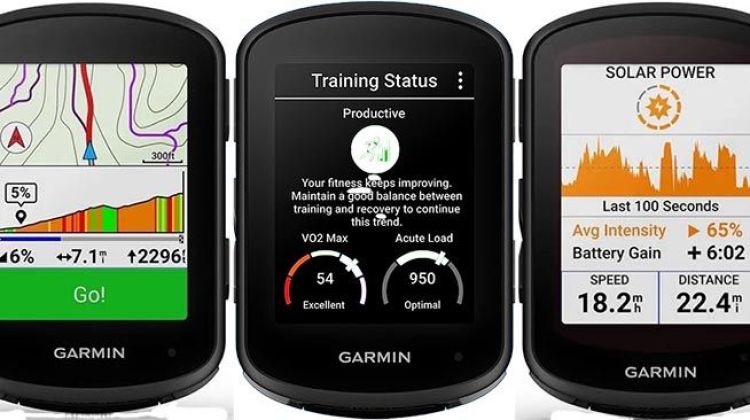
ClimbPro is a cool feature that tracks a hill you are climbing, showing you what challenges lie ahead. It used to be that you could only use this on preloaded courses. Now, on the 540, 840 and the 1040, it works on the fly, wherever you are. This is because every possible hill is already preloaded onto the unit. With this in mind, it is now called ClimbPro FreeRide.
Of course, this does require the unit to guess which route you are taking. Occasionally, it will make a mistake, if you take an unexpected turn. Although Garmin is attempting to fine-tune this, we are not expecting any future updates to impart the power of mind-reading to your Garmin Edge. However, the good news is that ClimbPro will recalculate quickly.
| | | | | |
ClimbPro Explore
Say you are out on a ride, and you decide you really have not suffered enough today to meet your training goals? Well, you can now use the ClimbPro Explore widget to search for nearby climbs. Once you have found one that is sufficiently daunting, your Garmin Edge 540, 840 or 1040 will use its awesome turn-by-turn navigation skills to take you to that hill.
Should You Buy the Solar Versions of the Garmin Edge 540, 840 or 1040?
All three of these bike computers are available with a more expensive solar option. Garmin already had this technology on their most high-end watches. For the privilege of some solar charging, you will need to pay extra. So the question is, is it worth it? Personally, I would not pay that much extra for the solar option.
That said, there is an interesting difference between the Garmin Edge 1040 and the 1040 Solar. The former comes with 32 GB of internal memory, while the 1040 Solar has double that, at 64 MB. The extra space is mainly used to store a whole lot of extra world maps. This would be very useful if you travel internationally – and useless if you do not. And if you suddenly become a world traveler in the future, perhaps because someone finally recognizes your talent, you can always download maps for any region you want for free using Garmin Express and a Garmin-specific USB-C cable.
Of course, solar power may be something you want. Probably only if you do multi-day cycling events, so you desperately need extra battery life. Or you have a terrible memory when it comes to charging your devices. And you live in an area that has a LOT of sunshine.
If not, the relatively small increase in battery life hardly seems worth the extra money. These solar bike computers will tell you how much charge you have added during a ride. The report is usually startling. That is, you will be startled by just how little charge was added. Even leaving the unit lying in the sun for hours achieves remarkably little in added power. Much less than you would achieve by leaving it charging from a power outlet, definitely.


I am not sure how Garmin justifies so much extra for this solar feature. After all, it is not as if solar power was invented last week. So, it seems a bit over-priced for what it is. Maybe this will change over time. I hope so.
| | | | | |
The New USB-C Charging Port
These three bike computers now have a USB-C charging port. This is a very welcome change from the mini USB port that Garmin inexplicably clung to for so long.
However, note that the charging cord that comes with the unit might look like a simple USB-A to USB-C cord, but in fact, it is not. Yes, you can charge your Garmin Edge 540 using any USB-A to USB-C cord. However, if you want to connect the unit to your computer so that you can access Garmin Connect, you need to have the Garmin-specific USB-A to USB-C cord. The one that ships with the unit is of course Garmin-specific, and is even labeled as a Garmin product. Make sure you keep this cord in a safe place!
Bottom Line on the Garmin Edge 540 vs 840 vs 1040
As with all our gadget choices, this comes down to what you need, what you want, and what you can afford. Because of that, we usually don’t make a strong recommendation either way. However, in this case, we do believe that the enhanced ease of use offered by the Edge 840 makes it a clear winner over the 540 and the 1040. Compared to the 540, that extra hundred dollars gives you an excellent touchscreen. And compared to the more expensive 1040, you get four extra buttons on the 840.
Basically, the combination of an excellent touchscreen with seven “buttony” buttons and the suite of new features, makes the Edge 840 by far the best Garmin Edge bike computer we have reviewed to date. The Edge 840 (non-Solar) is now our top recommendation based on its price, awesome features, full-featured navigation, and ease of use.
However, we have one final caveat. If, like us, you are an older cyclist and your eyesight is beginning to present some challenges, then you might want to consider the Garmin Edge 1040. For the extra money, you do get a screen that is much easier to see. Depending on your own physical abilities, that difference may be worth the extra investment.
| | | | | |
Related Posts about Bike Computers
Related Post: Garmin Edge 1050 vs 1040 – What’s the Difference?
Related Post: Garmin HRM Dual vs Wahoo TRACKR Heart Rate Monitors: The Ultimate Heart Rate Monitor Showdown for Cyclists
Related Post: 7 of the Best Cheap Bike Computers under $70 – Includes CatEye and Wireless
Related Post: Garmin Edge 130 Plus vs Wahoo ELEMNT Bolt: Which is Better?
Related Post: Complete Guide to Using Power Zones for Cycling Training
Related Post: Unleash Your Cycling Potential: 7 Reasons Why Every Cyclist Should Use a Power Meter
Related Post: Are Garmin Edge Bike Computers Worth It?
Related Post: Garmin Edge 540 vs 530: What’s the Difference?
Related Post: Garmin Edge 840 vs 830: What’s the Difference?
Related Post: Garmin Edge 1040 vs 1030 Plus: What’s the Difference?
Related: Garmin Edge Bike Computers Compared: Edge 130 Plus vs Explore vs 530 vs 830 vs 1030 Plus vs 1040
Related Post: Which Garmin Edge Bike Computer is the Best?
Related Post: Best Budget Bike Computer under $65
Related Post: How to Use a Garmin Vivoactive to Record a Bike Ride
Check Out Our Most Popular Posts! | ||
| ||
Did you enjoy this post or find it helpful? If so, please support our blog! We write this blog because we love cycling. But we also need to earn a living, so we would appreciate it very much if you click through to one of our reputable affiliates for your online shopping. We are proudly affiliated with Amazon, which sells pretty much everything, and has outstanding shipping and return policies. When you buy from our affiliates we make a small commission, and this is the only way we earn any income. Plus, it costs you nothing at all - a real win/win situation! We here at Average Joe Cyclist do not receive any information AT ALL about who you are, where you live, or what your dog's name is. Buying through our Amazon links is simply an anonymous way to thank us for our efforts, like tossing a few coins in a tip jar. Except that it is Amazon who tosses the coins, not you! | ||





Leave a Reply