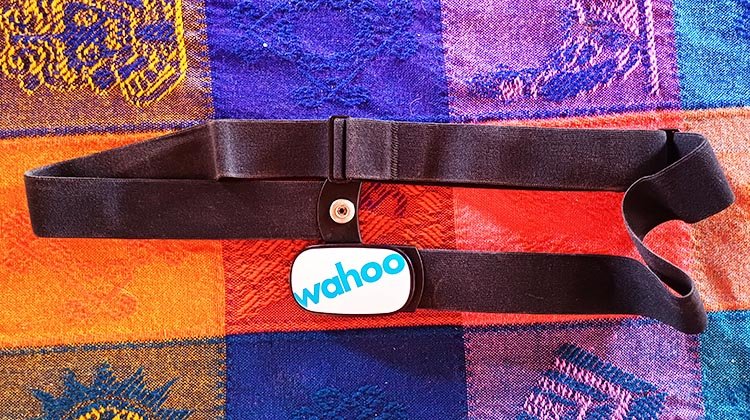
This is my review of the Wahoo TICKR Heart Rate Monitor, which I have been using for the last couple of months. With the basic Wahoo TICKR, you get an affordable heart rate monitor that you can connect to pretty much any cycling or training app. So, the questions are: is it easy-to-use, reliable, and accurate? And will it send your data to wherever you want your data to go? Most importantly, should you buy it? All is revealed in this quick and easy-to-read post.

 |  |  |  |  |
Is the Wahoo TICKR Heart Rate Monitor Easy to Use?
This heart rate monitor hardly even needs a manual, although it does ship with a quick start manual. You basically just clip it together in the front, which makes it instantly switch itself on and start trying to pair with something. Then, you pair it with the object you desire. In my case, I was using my Apple TV to link it to my Zwift game. Easy as can be, and after the first time, they just paired themselves, without me having to bother about ever again playing matchmaker.
After that, you just have to wear it. I found I didn’t even notice it was on. It will seamlessly record your heart rate data and transfer this to wherever you want it to go. It can also calculate and communicate your calorie burn, if that is what you are want. When you initially set it up, pair it to the Wahoo app and input your weight and height, to make this more accurate.
Moistened or Wetted?
One thing to bear in mind: the instructions say to “moisten” the contacts. However, I learned the hard way that “moistening” does NOT cut it. I assumed by moistening they meant that I should apply a bit of spit. But no, that definitely does not work. You need to run the contacts under running water. Otherwise, the unit will not work properly until you have been sweating for ten to twenty minutes. I think the manual should state this more clearly.
However, to be fair, in the 40-second official Wahoo video below, the cyclist is shown pouring water out of her water bottle onto the contacts. So, I guess when they say “moisten,” they mean “wet.”
Video Showing How to Wear the Wahoo TICKR Heart Rate Monitor – and How to Moisten It so It Will Work Properly
You don’t have to worry when you are pouring water on the unit. It is rated at IPX 7, which means you could submerge it in up to five feet of water without being concerned. Of course, it has to be waterproof, because you are going to be soaking it with sweat on a regular basis.
Flashing Lights
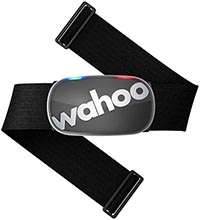
A really cool thing that Wahoo has (and other heart rate monitors usually do not have) is a flashing lights system. This gives you some feedback on what the unit is actually doing. On the top of the heart rate pod are two LED lights, a red and a blue. If the blue light is blinking slowly, that means the unit is searching for a connection. If the blue light is blinking fast, it is connecting. If the red light is blinking, it is reading your heart rate, and the blinking speed matches your heart rate.
The flashing lights do stop after about 30 seconds, so you don’t have to worry about that.
Is the Wahoo TICKR Heart Rate Monitor Reliable?
In two months of usage, the TICKR has never once failed to work perfectly (except when it was not wet enough!). I am very satisfied with the performance and reliability.
Is the Wahoo TICKR Heart Rate Monitor Easy to Wear?
Personally, I find it easy and comfortable to wear, and pretty much forget about it once it is on. It only comes in one size, but is of course adjustable. It weighs in at 1.7 oz (48 g) and is about 1/2 an inch (12 mm) thick, making it one the lightest and slimmest heart rate monitor and strap combinations on the market. The back of the pod is smooth, so you don’t notice it against your skin.
Some people say they find it moves, but personally I wear it snugly and have never known it to budge at all.
Is the Wahoo TICKR Heart Rate Monitor Accurate?
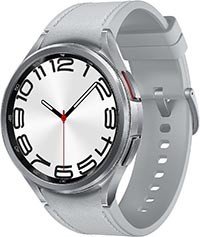
As long as it is wet enough, the Wahoo TICKR Heart Rate Monitor is definitely accurate. I know this because I am constantly comparing it to my Samsung Galaxy 6 Classic watch. It is quite extraordinary how exactly the two different readouts match up. The Samsung watch uses a high quality optical sensor to record your heart rate continuously.
Which brings me to the point of questioning whether one actually needs a chest heart rate monitor. I know that a lot of people think that a chest heart rate monitor is inherently more accurate than a heart rate monitor worn on the wrist. In fact, I used to think that. However, I have been shocked by the exact matches I have observed between the heart rate monitor on my wrist and the one on my chest.
For example, during a fifty-minute relaxed bike ride, both the Samsung Galaxy watch and the Wahoo TICKR Heart Rate Monitor recorded an average heart rate of 119. They were in perfect agreement. The Wahoo recorded a maximum heart rate of 127, and the watch came up with 132. That was within 5 beats, which I think is close enough. So, I think that shows that both monitors are very accurate. You can see those results in the illustration below, with the Samsung Galaxy watch reading on the left (captured in the Samsung Health app), and the Wahoo readings on the right (captured in the Zwift app).


Calorie Burn Discrepancies
I did notice that the Wahoo thinks I burned 181 calories, and my watch thinks I burned 402 calories. But that measurement is not actually a measurement – it is a calculation based on algorithms, and is subject to multiple variables. Without putting me in a lab and hooking me up multiple machines, there is no way to be certain which is the closest to accurate.
I am going to guess that the watch is more accurate, as it knows my weight, plus a host of stats like my body fat percentage, how much of me is muscle, and how much is water. This is one of the reasons I love my Samsung Galaxy watch – I can regularly use it to check those stats. This is very useful in my ongoing fight against age-related muscle loss. The Wahoo monitor, on the other hand, only knows my height and weight.
Related Post: Our Review of the Samsung Galaxy 6 Classic Smartwatch
Does Anybody Actually NEED a Chest Strap Heart Rate Monitor?
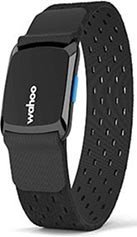
So, what was the point of buying the Wahoo TICKR heart rate monitor? After all, it seems that you can get equally good results from devices such as a smart watch. Also, Wahoo offers an arm band version heart rate monitor, the Wahoo TICKR FIT arm band heart rate monitor. It’s a bit more expensive than the TICKR chest strap. However, a lot of people love it, and it might be the right choice for those who don’t want to wear a chest band.
| | | | |
Connectivity
In my case, I really wanted to have my heart rate data in my Zwift stats. I knew that getting the Zwift game on my Apple TV to talk to my watch would be close to impossible. It was definitely NOT worth skimping on a device that cost me less than $50. After all, I am doing all this to get healthier, not to send my stress levels up to breaking point by trying to match-make between two devices that have no interest in talking to each other.
That is definitely the beauty of the Wahoo – it is made to connect easily with the fitness app or gadget of your choice. That left me with the choice of the Wahoo TICKR, the TICKR X, or the Wahoo FIT. Well, I basically don’t mind wearing something on my chest. And I don’t need running dynamics or the option to go out without my phone. So, I simply chose the cheapest option. However, any of these three devices will do an excellent job of recording your heart rate data.
My basic point is, don’t lay awake at night worrying about the accuracy of whatever heart rate monitor you want to buy. Taking a heart rate is not rocket science. It is very simple technology that was perfected a long, long time ago. Pretty much any decent smart watch, or arm band monitor, or chest strap type monitor should do it perfectly. To choose yours, you need to think about what else you want it to do (e.g. connect), and whether you will be comfortable using it.
Will the Wahoo TICKR Heart Rate Monitor Send your Data to Where You Want it to Go?
In a word, yes. And then some. This unit offers dual band connectivity, so it can connect via Ant+, as well as up to three Bluetooth connections, simultaneously.


So, for example, your monitor could be using Ant+ to connect to your smart trainer and/or your Wahoo bike computer. At the same time, it could be using one Bluetooth connection to send information to your calorie tracking app, such as MyFitnessPal. And using another Bluetooth connection to send your heartrate information to a fitness tracking app, such as Wahoo or Strava or MapMyFitness or TrainingPeaks. It’s as if your heart is a broadcasting station!
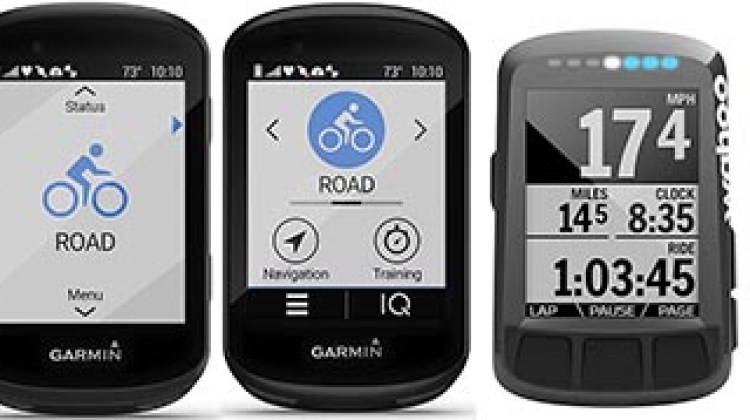
Related Post: Garmin Edge 530 vs Wahoo ELEMNT Bolt
Battery Life on the Wahoo TICKR Heart Rate Monitor
I don’t have to think about battery life, because it will most likely last about a year. It is rated for 500 hours, and I don’t do more than that on my bike, most years. When that year is up, it will be a cinch to replace the CR2032 coin cell battery, as the Wahoo battery compartment can be easily opened with a coin or a butter knife.
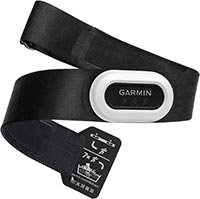
In this respect the Wahoo completely outshines the more expensive Garmin heart rate monitor. For that you need a proprietary screwdriver to remove four tiny screws. Why on earth would anyone design something to be that unnecessarily difficult?
Wahoo TICKR vs Wahoo TICKR X – What’s the Difference?
When I was shopping for my Wahoo TICKR, I noticed that it cost about $49, but there was also an almost identical looking product for $79, the Wahoo TICKR X. So of course, I carefully compared the two products, before making a choice. Here are the similarities and the differences.
Similarities between the Wahoo TICKR vs Wahoo TICKR X
- Both of them pair a heart rate measuring pod with an adjustable soft strap.
- Both of them ship with a quick start guide, and are really quite easy to operate and pair.
- Both of them automatically switch on when you clip the strap around your chest, and automatically switch off when you unclip the strap.
- Both sit on your chest and will measure your heart rate (in my experience, very accurately).
- Both have dual band technology, meaning you can pair to Ant+, as well as up to 3 Bluetooth connections, simultaneously.
- Both will pair seamlessly to over 50 apps such as Zwift, Strava, or TrainingPeaks, and reliably transmit your heart rate data to them.
- Both of them have a quality build and solid but lightweight construction.
- Both will measure your calorie burn, based on your weight and heart rate.
- Both have a long-lasting battery that is easy to change with a simple butter knife or coin.
- Both need to be wet to work properly.
- Both are backed by Wahoo’s excellent customer service.
Differences between the Wahoo TICKR vs Wahoo TICKR X
The TICKR X can do a bunch of things that the basic TICKR cannot do. These include:
- The TICKR X can work on its own, without a connected gadget (such as a phone) to capture and save data. So, you could go for a 50-hour bike ride, without your phone (hard to imagine, I know), and the TICKR would store all your heart rate and calorie data so that you could let your apps know later. However, it is not a GPS.
- The TICKR X will give you a detailed critique of your running style, so you can target areas to improve, and track your improvement. It will measure running dynamics such as your running cadence, vertical oscillation, and ground contact time. (I have no idea what vertical oscillation means, but I’m a useless runner anyway, so it doesn’t matter.) The device puts all the data together to give you an overall critique of your running smoothness score, which you can use to track your running efficiency and improvements over time. Personally, I have Mrs. Average Joe Cyclist to critique my running style. (Simply, “Stop it!”) But if you could use this feedback, and you don’t have a partner or a smart watch that already does it for you, then this feature could be very handy.
- The TICKR X can also track your distance and pace on a treadmill. And it can track your cadence while doing indoor cycling.
Bottom Line on the Wahoo TICKR Heart Rate Monitor
This is a solid heart rate monitor that will almost certainly fit your needs and do its job accurately, quietly, and effortlessly. Most cyclists won’t need the Wahoo TICKR X, as most of us are too busy cycling to have time to run. And most of us don’t leave home without a smart phone. So, you can get the basic monitor for less than $50, which is an excellent price for a quality piece of fitness equipment.
That said, if you just want to keep an eye on your heart rate, and you don’t need Ant+ connectivity to connect to an app or a smart bike, and you already own a smart watch, then you probably don’t need a strap-type heart rate monitor. Because based on my observations of my Galaxy watch, the wrist-type monitors do an excellent job. On the other hand, if you don’t have a smart watch, this Wahoo Tickr Heart Rate Monitor is much cheaper than a decent smart watch.
| | | | |
Check Out Our Most Popular Posts! | ||
| ||
Did you enjoy this post or find it helpful? If so, please support our blog! We write this blog because we love cycling. But we also need to earn a living, so we would appreciate it very much if you click through to one of our reputable affiliates for your online shopping. We are proudly affiliated with Amazon, which sells pretty much everything, and has outstanding shipping and return policies. When you buy from our affiliates we make a small commission, and this is the only way we earn any income. Plus, it costs you nothing at all - a real win/win situation! We here at Average Joe Cyclist do not receive any information AT ALL about who you are, where you live, or what your dog's name is. Buying through our Amazon links is simply an anonymous way to thank us for our efforts, like tossing a few coins in a tip jar. Except that it is Amazon who tosses the coins, not you! | ||