
Garmin Edge 1050 vs 1040 – what’s the difference, and which one should you choose? While doing this comparison, I was very pleasantly surprised to find some great new features in the Garmin Edge 1050. There have been some Garmin upgrades that bought very little innovation, but that is not the case for the Edge 1050. Here’s a detailed look at the significant improvements and new features that make the Edge 1050 a compelling upgrade.
Note: Garmin is not positioning the Edge 1050 to replace the 1040 – which is what they usually do with upgrades. Instead, they plan to keep offering users their choice of the Garmin Edge 1040, the 1040 Solar Edition, or the Edge 1050. Why? Well, it seems to because the brilliantly visible new screen of the 1050 comes at a price – shorter battery life. Still about 20 hours with all features enabled, which should be enough for most users. However, if you want the super long battery life of the Edge 1040 or 1040 Solar, that will still be available to you. It comes down to what is most important to you.
 | |
 | |
Video Showing the Features of the Garmin Edge 1050
Before we get to the comparison, here is a short video that shows the key new features of the Garmin Edge 1050.
Design and Display on the Garmin Edge 1050 vs 1040
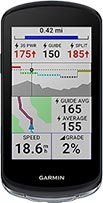
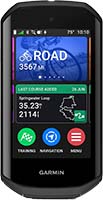
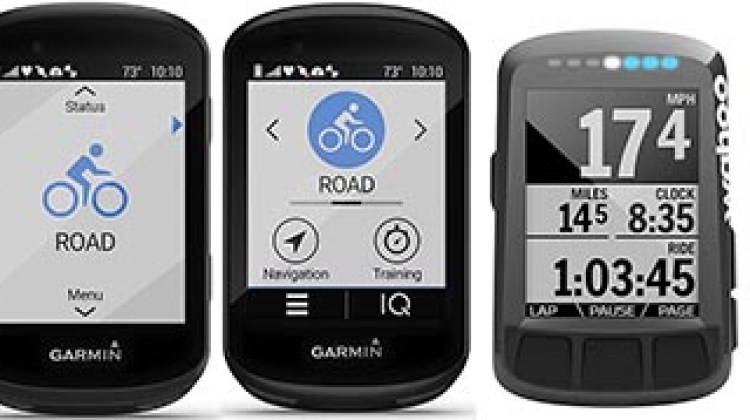
The most striking difference between the Garmin Edge 1040 and the Edge 1050 is the display. The Edge 1050 boasts a 3.5-inch transmissive LCD display with a resolution of 480 x 800 pixels, significantly surpassing the 282 x 470 pixels of the Edge 1040.
The new display is not only higher in resolution but also incredibly bright, with a peak brightness of 1,000 nits. This makes it easier to read in all light conditions, especially under direct sunlight. The vibrant colors and higher resolution result in cleaner, sharper graphics and text, enhancing the overall user experience.
This new screen is by far the best bike computer ever seen, and in fact rivals the screens of a smart phone. I discovered that I could see it clearly even if I set it to 20% brightness. And of course, if you do that, you improve battery life. More about that issue later …
The flagship Garmin Edge 1000 series have always been the obvious pick for anyone who needs an easy-to-see screen. The 1050 takes this advantage to new heights.
Performance and Processor
The Edge 1050 is powered by a quad-core processor, a significant upgrade from the dual-core processor in the Edge 1040. This enhancement leads to faster data processing, quicker route calculations, and a more responsive user interface. Additionally, the Edge 1050 shows significant improvements in gradient responsiveness, making it more adept at handling complex terrain changes.
Gradient Changes
The Edge 1050 responds to changes in gradient significantly faster than rival bike computers, such as Wahoo ROAM 2. This is good because when I am battling my way up a sudden sharp hill, I want my bike computer to acknowledge and record that! Rather than creating the impression that my heart rate suddenly spiked for no apparent reason … In the past, Garmin was slower than its rivals to pick up on sudden gradients, but now it is faster.
New Features – Garmin Edge 1050 vs 1040
Several new features distinguish the Edge 1050 from its predecessor.
Audible Bike Bell
The Edge 1050 includes an integrated speaker that doubles as an audible bike bell. This feature is both convenient and loud, making it easier to alert pedestrians and other cyclists without the need for an additional device. We love this feature. Note that it will not be rolled out to any other Garmin Edge bike computers, because only the 105o has the hardware to produce this sound. This hardware also causes all of the other sounds of the 1050 to sound more mellow (rather than “beepy”).
I always find a bike bell is a much friendlier option than yelling. It is also the universal sound associated with a bicycle, so it sends a very clear message: “Watch out, cyclist coming through!” Usually I make sure to equip my bikes with a bell (preferably one with the old-fashioned sound), but this bike computer makes that redundant. It sounds a lot like a traditional bell, and we noticed in testing that everybody heard it as a real bicycle bell. In this very short video, you can hear what it sounds like.
Video demonstration of the new audible bike bell on the Garmin Edge 1050
| |
| |
Road Hazards
The Edge 1050 introduces community-generated hazard reporting. This feature allows users to report hazards like potholes, dangerous animals, and downed trees, which are then displayed as alerts during rides. This is akin to a cycling version of Waze, enhancing safety and ride quality.
I was concerned that some cyclists could spoil this feature by reporting non-existent or unimportant hazards. However, Garmin has thought of this. Once you report a hazard, Garmin will ask other cyclists to confirm. Basically, the screen comes up with a prompt saying “Hazard Still there? Cross or Check?” If the total number of Yes votes falls below 50%, that hazard goes away. However as long as it remains above 50%, cyclists will get a Hazard warning on the Edge 1050.
This is an excellent idea, and I think the implementation will go from strength to strength. This is because this new feature will soon be shared by all the other Garmin Edge bike computers, thanks to software upgrades. This will create a massive body of users to report on hazards.
Garmin Pay
For your added convenience, the Edge 1050 supports Garmin Pay, allowing users to make NFC payments directly from the device. This means you can leave your wallet and your phone behind and still be able to make purchases during your rides. This is great because for many of us, part of the reason for a long bike ride is the guilt-free treat at the coffee shop!

 On a long bike ride, it’s great to be able to stop, park your bike, and buy a snack or a drink. Garmin Pay now ensures that you won’t ever be caught without a means to pay. Image by S. Herman and F. Richter from Pixabay
GroupRide Features
GroupRide has been around for a while, and it is a useful and fun way to keep in touch with other cyclists on a group ride. Now, the Edge 1050 enhances group ride capabilities with new challenges and awards.
For example, it includes Climb Pro Challenges, awarding a “trophy” to the cyclist in your group who goes up a given hill on your route the fastest. Note that is is not the cyclist who gets up the hill first, but the one who gets up it the fastest. This opens the door to employing various fun strategies to win the trophy. As an example, you could take it easy on the ride until you reach that hill, so that you are fresh enough to give it your best effort.

 The Garmin Edge 1050 can make climbing hills more challenging and more fun
Also, at the end of the ride, the Garmin Edge 1050 will hand out awards to various riders for various achievements. For example it may give an award to the rider who showed the highest speed, or the most impressive watts to weight ratio.
The Edge 1050 also includes group ride incident detection, which alerts all members of the group if one rider is involved in an incident. This feature promotes a safer and more connected group riding experience.
WiFi Map Manager
The Edge 1050 allows users to download maps and updates directly via WiFi, eliminating the need for a computer. This feature adds convenience and flexibility to device management. This is new, and it makes life considerably easier for Garmin users.
Updated PowerGuide
The PowerGuide feature has been updated to better account for stamina and wind, providing more accurate performance metrics. This is particularly useful for serious cyclists looking to optimize their training.
Interactive Data Pages
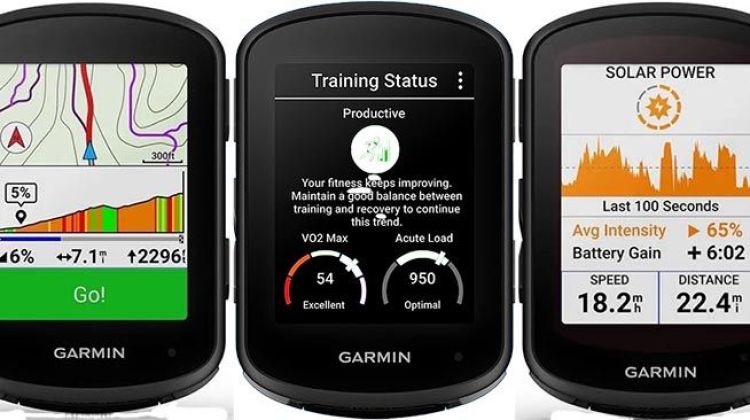
The Edge 1050 introduces interactive data pages, where users can swipe up or down to view more or less data. This feature enhances the user interface, making it easier to access and customize the data you need during rides. You might find you have a bit of a learning curve on this one, but once you are done with that, it is useful to have easy access to so much data.
On-Device Course Creator
Users can now create point-by-point courses directly on the device, a feature that was previously limited to round-trip courses. This adds flexibility and convenience to route planning.
You can also use pin drop navigation to send a POI from Apple Maps and automatically receive navigation to that location.
Battery Life – Garmin Edge 1050 vs 1040
While the Edge 1050 offers many improvements, it does come with a trade-off in terms of battery life. The Edge 1050 provides up to 20 hours of battery life in GPS mode and up to 60 hours in battery saver mode. In contrast, the Edge 1040 offers up to 35 hours in GPS mode and up to 70 hours in battery saver mode.
The Edge 1040 Solar, with its solar panels, extends this even further, getting up to 45 hours in GPS mode and up to 100 hours in battery saver mode.
So if you plan to ride for days on end, the 1040 is your clear choice. However, also bear in mind that you can still see the screen of the 1050 after you turn the brightness down to 20%. Even at 20%, it is still brighter than the Edge 1040. And “dimming” the screen significantly improves the battery life, up to about 30 hours. You could do this during ultra-long cycling events, and then use the Edge 1050 at the regular brilliant 100% at other times.
Also, as with other premium Garmin Edge bike computers, you can choose to run the 1050 in Battery Saver Mode. This bumps the battery life up from about 20 hours to about 70 hours. And in Battery Saver Mode, you still get to use your sensors and navigation mode. And of course, it continues to record every possible kind of date.
Connectivity and Compatibility
The connectivity options on the Edge 1050 remain consistent with the Edge 1040, including Bluetooth, Wi-Fi, and ANT+ support. This ensures seamless integration with various sensors and your smartphone. There are no significant changes in this area, but the existing features continue to provide robust connectivity options.
Bottom Line on the Garmin Edge 1050 vs 1040
The Garmin Edge 1050 is a significant upgrade over the Edge 1040, offering a brighter and more responsive display, enhanced performance, and several new features that improve both safety and convenience. While the battery life is shorter due to the more powerful display, the benefits of the new features and improvements make the Edge 1050 an excellent choice for cyclists looking for the latest in bike computer technology.
If battery life is your top priority, the Edge 1040 or Edge 1040 Solar might still be the better option. However, for most cyclists, the vibrant display, added safety features, and convenient new tools of the Edge 1050 make it the superior choice.
Recommendation – What’s the Difference between the Garmin Edge 1040 and 1050, and Which One Do We Recommend?

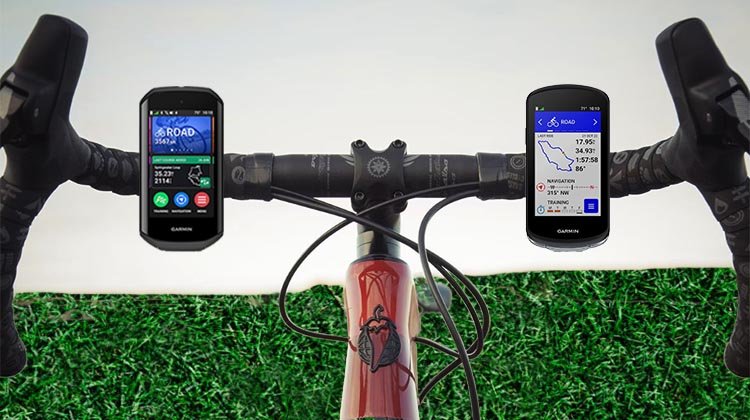 For those considering an upgrade, the Edge 1050 (left) is well worth the investment
For those considering an upgrade, the Edge 1050 is well worth the investment. Its modern design, enhanced features, beautiful screen, and improved performance make it a top-tier cycling computer. If you’re new to the market, the Edge 1050 offers a comprehensive package that meets the needs of a wide range of cyclists – especially those nearer the top of the range.
On the other hand, it’s a sizable cash outlay, so if you already have the Edge 1040, it would probably be best to just stick with that. Especially since many of the upgrades to the 1050 have been rolled out as software upgrades to the 1040 (and the 540 and 840).
Finally, if battery life is extremely important to you, the Edge 1040 is a better choice, and the Edge 1040 Solar is the best choice of all. Unfortunately, the Edge 1050 is not available in a solar option. That said, the 20 hours on the Garmin Edge 1050 is likely good enough for 90% of cyclists.
| |
| |
Check Out Our Most Popular Posts! | ||
| ||
Did you enjoy this post or find it helpful? If so, please support our blog! We write this blog because we love cycling. But we also need to earn a living, so we would appreciate it very much if you click through to one of our reputable affiliates for your online shopping. We are proudly affiliated with Amazon, which sells pretty much everything, and has outstanding shipping and return policies. When you buy from our affiliates we make a small commission, and this is the only way we earn any income. Plus, it costs you nothing at all - a real win/win situation! We here at Average Joe Cyclist do not receive any information AT ALL about who you are, where you live, or what your dog's name is. Buying through our Amazon links is simply an anonymous way to thank us for our efforts, like tossing a few coins in a tip jar. Except that it is Amazon who tosses the coins, not you! | ||









Leave a Reply