
This post explains how to go beyond the defaults of a heart rate monitor so as to fine tune it for optimal fitness gains. If you’re planning to get faster on your bike, and to get fit, you are probably planning to monitor the intensity of your workouts with a decent heart rate monitor. Once you have your heart rate monitor, here is how to fine-tune it so as to get optimal fitness gains.


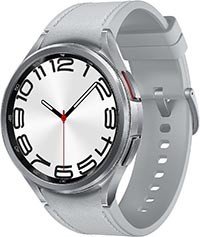
If you seriously want to get fit, you need to know when you are exercising in your optimal zone, and you need to be able to record how long you stay in it. This requires equipment such as a heart rate monitor, a fitness tracker, or a smart watch, such as the top-rated Garmin Fenix Sapphire, or a more affordable Samsung Galaxy watch.
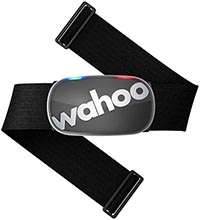 | 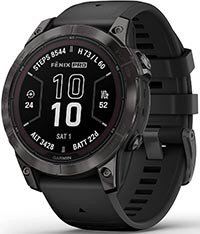 | 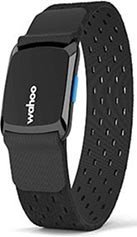 | 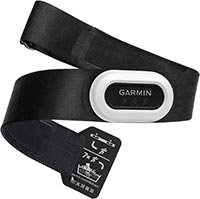 |  |


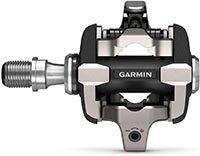
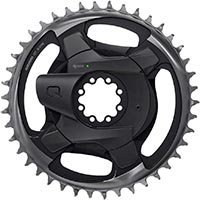
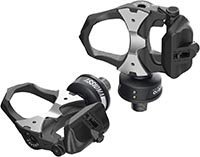
It is simply impossible to accurately monitor the intensity of interval training without at the very least a heart rate monitor. And if you want to get really technical, you could invest in a power meter, which shows you how much power you are exerting while cycling. In terms of assessing your progress, these are even more accurate than heart rate monitors. You simply attach them to your bike, and connect them with your bike computer or fitness tracker via Bluetooth or ANT+.
How to Track Your Training Zones with Your Heart Rate Monitor
It’s not enough to just look at your average heart rate after the ride, or to know your maximum and minimum heart rate during the ride. You have to be able to know that you have spent most of the session in the correct training zone.


Most heart rate monitors will be able to generate generic training zones, based on your age. For example, my Samsung Galaxy watch tracks the training zones I have been in, based on my heart rate. As you can see in the screen shot further below. As you can see, it gives me useful information, showing me how much time I spent in various training zones. This gives me an immediate, visual overview of how hard I was working out during the swim.
The Problem with Automatically Generated Training Zones
My Samsung watch has set my maximum heart rate automatically, based on my age. However, I am a lot fitter than most people my age. Therefore, the maximum heart rate is too low. Partly for this reason, it looks like I spent a lot of time with my heart rate much higher than my maximum heart rate should be. This demonstrates that there is sometimes a need to override defaults in order to finetune your heart rate monitor.

Whether you get a basic heart rate monitor or more advanced devices, it is enormously helpful to fine tune your heart rate monitor to ensure you train smart and get the best possible fitness gains for your training efforts.
 How to Set up a Heart Rate Monitor to Train Smart

The basic way of calculating exercise intensity based on heart rate is fairly simple. First you calculate the maximum heart rate you can safely maintain. You do this by subtracting your age from 220. So the maximum heart rate for a 30-year-old would be 220 – 30, that is, 190. From this, you know how to achieve aerobic training benefits by getting your heart rate to a certain percentage of that maximum heart rate for a period of time. This percentage might be anything from 60% to 80%. So if you are 20, you need to maintain a heart rate of between 114 and 152 to achieve an aerobic training benefit and get fitter.
Most heart rate monitors, including the Polar Heart Rate monitor, have this exact calculation built in, so they can just automatically generate training zones. For many people, this is more than enough. However, this is very generic, and does not take into account the fact that people may be starting their training plans at very different levels of fitness. This is really not ideal, because individuals vary a lot.
It’s better to figure out your training heart rate zone yourself, and then manually program it into the monitor.
How to Fine Tune Your Heart Rate Monitor for Optimal Fitness Gains
You can do better than generic with just a little math, and a heart rate monitor that is a little more advanced (so you can program in the zones you want to exercise in on specific days). The Polar RS300XC heart rate monitor is a bit more expensive, but has the advantage that you can manually program your zone, based on your own specific body and your training goals.
| | | | |
Calculating a More Specific Target Heart Rate Zone
The heart rate reserve method (HRR) can be used to calculate heart rate zones more accurately. Heart rate reserve uses the range from your resting heart rate to a predicted maximum. Below are the formula and an example of the method for someone 55 years old, assuming a resting heart rate of 80 bpm and a training range of 60% and 75%.
- 220 – Age = 165 (HRmax)
- Subtract resting heart rate from HRmax: 165 – 80 = 85 (this is the Heart Rate Reserve – HRR)
- Multiply the HRR times the percent that you want to train at. So for example if you want to train at 60%, you would multiply 85 x 60% = 51.
- Then you add back the resting heart rate: 51 + 80 = 131.
- This tells you that to train at 60%, you should try to keep your heart rate around 131 bpm.
As you can see, you can get very precise from this. Just do the math, then program your heart rate monitor with a range that matches your desired level of training. For example, my Average Joe Cyclist Beginner’s Training Plan is based on exercising in the 50% to 60% range (light to moderate RPE, Zones 1 to 3 on the table). To do that, the 55-year-old cyclist in the example above would simply program their heart rate monitor to specify a range of 122 to 131 bpm, get on their bike, and pedal!
If you are planning to spend hundreds or thousands of hours doing fitness training on your bike, it is well worth your while to fine tune your heart rate monitor and ensure that you get the best possible fitness gains for your efforts!










Check Out Our Most Popular Posts! | ||
| ||
Did you enjoy this post or find it helpful? If so, please support our blog! We write this blog because we love cycling. But we also need to earn a living, so we would appreciate it very much if you click through to one of our reputable affiliates for your online shopping. We are proudly affiliated with Amazon, which sells pretty much everything, and has outstanding shipping and return policies. When you buy from our affiliates we make a small commission, and this is the only way we earn any income. Plus, it costs you nothing at all - a real win/win situation! We here at Average Joe Cyclist do not receive any information AT ALL about who you are, where you live, or what your dog's name is. Buying through our Amazon links is simply an anonymous way to thank us for our efforts, like tossing a few coins in a tip jar. Except that it is Amazon who tosses the coins, not you! | ||




xxx


