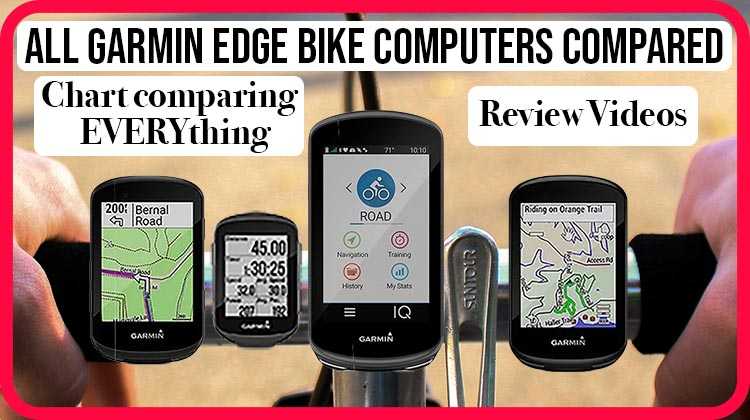
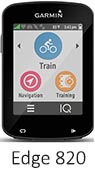
This post compares the Garmin Edge 820 vs 520. I start with a chart comparing all features of the Garmin Edge 820 and 520, and then I compare these two premium GPS bike computers, highlighting the differences. Then I wrap it up with another chart that shows only the differences between the two bike computers, so you can see the key differences between the Garmin Edge 820 and 520 at a glance. I have also included videos that show you features of both of these bike computers.
| |
|---|
https://averagejoecyclist.com/garmin-edge-530-vs-830-vs-1030/
Note: All our income comes from affiliate links, so if you find this post helpful and decide to buy, please consider buying through our links. It costs you nothing at all. You can find a range of buying options here.
Chart Comparing Key Features of the Garmin Edge 820 vs 520
 |  | |
|---|---|---|
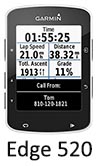
| Big picture | Great for training AND navigation. Color touchscreen | Great for training but not for navigation. Buttons, not touchscreen. Color |
| Lowest Price on Amazon Right Now: | ||
| Unit Size | 1.9” x 2.9” x 0.8” (49.0 x 73.0 x 21.0 mm) | 1.9” x 2.9” x 0.8” (49.0 x 73.0 x 21.0 mm) |
| Display resolution, W x H | 200 x 265 pixels; color | 200 x 265 pixels; color |
| Screen size | 2.3" (58.4 mm) diagonal, high res | 2.3" (58.4 mm) diagonal, high res |
| Touchscreen | Yes | No, buttons |
| Water rating | IPX7 (able to withstand immersion in water up to 1 m - 3.2 feet - for up to 30 mins) | IPX7 |
| Weight | 2.4 oz (67.7 g) | 2.1 oz (60 g) |
| Battery life | Up to 15 hours | Up to 15 hours |
| Battery save mode available (powers down the screen but continues to record your ride)? | Yes | Yes |
| History that can be stored on unit | Up to 200 hours of history | Up to 180 hours of history |
| Garmin Edge Remote Control support | Yes | yes |
| Round-trip routing (input a starting point and distance, and the Edge will suggest up to 3 bike ride options) | Yes | Yes |
| Out front mount (as well as original quarter turn)? | Yes | Yes |
| Is the screen responsive to level of ambient light | Yes | No |
| Incident alert? (to tell your spouse if you have an accident) | Yes. Can be switched off if you are uninjured | Yes. Can be switched off if you are uninjured |
| Compatible with Garmin Varia Vision and Garmin Varia Rearview Radar Tail Light? | Yes | Yes |
| Unit-to-unit transfer (shares data wirelessly with similar units) | Yes | No |
| Automatic sync (automatically transfers data to your computer) | Yes | Yes |
| Relive and share your rides with Garmin Connect™ (online community where you can analyze, categorize and share data) | Yes | Yes |
| Smart phone Connected features (depends on having a Bluetooth enabled smartphone, and you may have to install the Garmin Connect mobile app on your phone) | Yes - Live Tracking, Group Tracking, send/receive courses, workouts and training plans wirelessly, social media sharing, weather updates in real time, smart notifications (texts and calls) | Yes - Live Tracking, send/receive courses, workouts and training plans wirelessly, social media sharing, weather updates in real time, smart notifications (texts and calls) |
| Automatically send your activity to Garmin Connect as soon as you finish recording | Yes | Yes |
| Live tracking (allows others to follow your activities in real time, if you invite them) | Yes | Yes |
| Group tracking (GroupTrack is an extension of Garmin’s LiveTrack feature, where your friends or family can follow you on a computer. With GroupTrack, you can have this same visibility, but from your handlebars. The idea is that you can meet up or just keep digital track of your cycling companions) | Yes | No |
| BlueTooth to connect wirelessly to smartphone and upload data? | Yes | Yes |
| Accepts data cards | No - there is no micro-SD card slot. However, it has 16 GB of internal memory, so you are unlikely to need a card | No |
| Connect IQ™ compatible? | Yes | Yes |
| Advanced training features | Advanced performance and power analysis (if you are using a heart rate monitor and a power meter), including VO2 max, Recovery Time Advisor, FTP (Functional Threshold Power) tracking, Time in Zone, and recovery (Recovery Time advisor) | Advanced performance and power analysis (if you are using a heart rate monitor and a power meter), including VO2 max, Recovery Time Advisor, FTP (Functional Threshold Power) tracking, Time in Zone, and recovery (Recovery Time advisor) |
| Training calendar (The calendar on your device is an extension of the training calendar or schedule you set up in Garmin Connect. After you have added a few workouts or courses to the Garmin Connect calendar, you can send them to your device) | Yes | No |
| Stress score (requires HR monitor) | Yes | Yes |
| Courses (compete against previous activities) | Yes (compete against your previous time by entering the % you want to improve by, then race your virtual partner; or enter a shorter time that you want to achieve) | Yes (compete against your previous time by entering the % you want to improve by, then race your virtual partner; or enter a shorter time that you want to achieve) |
| Virtual Partner® (train against a digital person) | Yes | Yes |
| Advanced workouts (create custom, goal-oriented workouts) | Yes | Yes |
| Time/distance alert (triggers alarm when you reach goal) | Yes | Yes |
| Interval training (set up exercise and rest intervals) | Yes | Yes |
| Garmin Connect Real-Time segments | Yes | Yes |
| Download Strava Real-Time segments? | Yes, if you have Strava premium | Yes, if you have Strava premium |
| Auto upload your rides to Strava? | Yes, once you sync your Garmin Connect account with Strava | Yes, once you sync your Garmin Connect account with Strava |
| Heart rate-based calorie computation | Yes | Yes |
| Optional heart rate, speed/cadence and power meter? | Yes | Yes |
| Can you use it for indoor training? | Yes. And you can recreate outdoor rides for the indoors, using apps such as TrainerRoad synced with your Garmin Connect account | Yes. And you can recreate outdoor rides for the indoors, using apps such as TrainerRoad synced with your Garmin Connect account |
| Can add a third-party compatible ANT+ sensor as a power meter? | Yes | Yes |
| Can be paired with wireless ANT+ Heart Rate monitor? | Yes | Yes |
| Bike speed/cadence sensor | Yes | Yes |
| Shimano Di2 gearing information | Yes | Yes |
| Activity profiles - store preferences for different cycling activities (For example, you can create a separate activity profile for training, for racing, and for mountain biking. The activity profile includes customized data pages, activity totals, alerts, training zones (such as heart rate and speed), training settings (such as Auto Pause® and Auto Lap®), and navigation settings) | Yes | Yes |
| Auto Scroll (cycles through data pages during workout) | Yes | Yes |
| GPS enabled? (this is the Global Positioning System, the US satellite navigation system) | Yes | Yes |
| GLONASS enabled? (this is the GLObal NAVigation Satellite System, the Russian satellite navigation system) | Yes | Yes |
| Distance, speed, ascent/descent and GPS position | Yes | Yes |
| Navigation? | Yes - once you pick a location, it will guide you to that location | No, but you can upload a breadcrumbs course and then follow that. When doing that, you do get turn notifications, plus an alert if you go off course |
| Turn-by-turn guidance? | Yes - much like a car GPS, it will warn you a turn is coming, and tell you when to turn (with text and a beep) | Yes, for courses you have downloaded from your computer |
| Preloaded basemap? | Yes, preloaded Garmin Cycle Map with bike-specific navigation so it can give you turn-by-turn navigation instructions | Yes, but very basic. It's just to give you a rough idea of where you are |
| Ability to add maps, such as optional City Navigator® maps or Open Street maps or topographical maps? | Yes | Yes |
| Live tracking | Yes | Yes |
| Points of Interest (POIs) specifically for cyclists | Requires optional City Navigator® maps to access general points of interest | No |
| Plan and download new routes to follow (a route is a sequence of waypoints that leads you to your final destination) | You can upload routes you create elsewhere, and follow them; plus you can also enter in an address on the computer itself and it will create a route | Yes. The Edge 520 lets you upload routes you create elsewhere, and follow them, using pretty basic breadcrumb directions |
| Barometric altimeter (to tell you your elevation) | Yes | Yes |
| Temperature (displays and records temperature while you ride) | Yes | Yes |
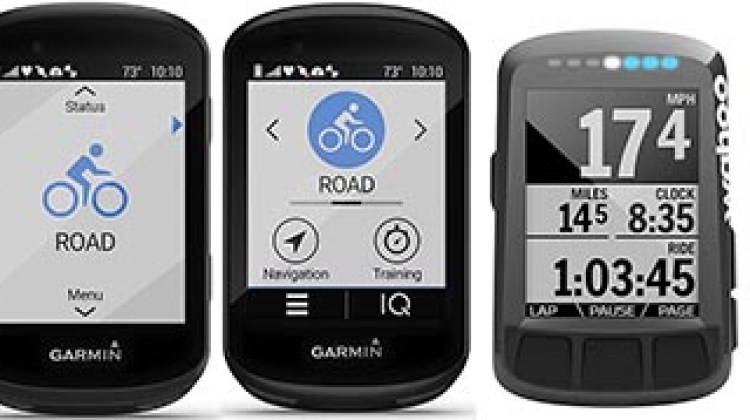
As you can see, both of these Garmin Edge bike computers have tons of features, and are in fact very similar. Both are optimized for bike training, and both are premium, rugged bike computers. Both can be paired with an impressive range of sensors. They are identical in size, and both have color screens.
Differences between the Garmin Edge 820 vs 520


Difference #1: The Edge 520 does not have a touch screen, while the 820 does
Interestingly, the Edge 510 had a touch screen, and the Edge 520 reverted to buttons. Apart from that, the 520 was a massive upgrade on the 510 – probably the biggest single upgrade Garmin has ever done. Garmin never said why it went back to the buttons on the 520. However, it is a known fact that some users have complained of problems with the touch screen when using Garmin Edge bike computers in the rain.
With this difference, it comes down to what you like. Personally, I find buttons easier to use when wearing gloves. However, many people prefer working with touch screens.
Difference #2: Maps on the Garmin Edge 820 vs 520
This is another major difference. The Garmin Edge 820 comes preloaded with a Garmin Cycle Map with bike-specific navigation so it can help you with navigation. By contrast, the Edge 520 comes with the most basic of maps, which does little more than give you a rough idea of where you are (planet, country, city). Note however that you can add maps to both the 820 and the 520.
Difference #3: Navigation with the Garmin Edge 820 vs 520
With the Edge 820, you can input an address and it will plot a route for you (much like with a GPS in a car). The Edge 820 will then give you turn-by-turn navigation instructions to that address, or to a saved address. Or to a cycling-specific POI (point of interest). For example, it will alert you of an upcoming turn with a beep, and if you look at it, you will see text saying something like: “Turn right on Main St in 50 feet.” If you miss the turn, it will beep at you quite manically. However, if you ignore that, it will recalculate the route.
The Edge 520 cannot calculate routes. However, you can upload a breadcrumbs course and then follow that. When doing that, you do get turn notifications, plus an alert if you go off course. Also, thanks to the latest software upgrades, the Garmin Edge 520 can now give you turn-by-turn navigation instructions on routes you have downloaded, as shown in this video:
Unique Features on the Garmin Edge 820
The Garmin Edge 820 is a massive upgrade on the Edge 810, and arrived with brand new features that had not previously been seen in Garmin Edge bike computers. These include Group Track, Incident Alert, Battery Save Mode and Stress Score. It was also rolled out with compatibility with Connect IQ from the start. Of course, the Edge 520 now has almost all of those features (except for Group Track and Battery Save Mode),
Take a look at my unboxing the Garmin Edge 820 video below, in which I show all that comes in the box (if you get the Edge 820 bundle), how to set it up, and the immediately obvious changes in appearance and menu options on this upgraded unit.
Difference #4: GroupTrack on the Garmin Edge 820
The Garmin Edge 820 was the first Garmin Edge bike computer to offer the brand new GroupTrack feature. This lets you pair your device through Garmin Connect with other people’s compatible devices, so you can see where your riding buddies are, right on your bike computer screen. This could be handy if, for example, your wife leaves you in the dust and you need to try and catch up (yes, this has happened to me – thanks, Mrs. Average Joe Cyclist)! This has not yet been rolled out for the Edge 520.
Note that the other cyclists do not need to have an Edge 820 or Edge Explore 820 – they can make themselves visible to you if they have any connected, LiveTrack-compatible Edge or Forerunner. Here’s a video that shows you how the Garmin Edge 820 GroupTrack feature works:


Difference #5: Battery Save Mode on the Garmin Edge 820
To me, this is the most useful new feature on the Garmin Edge 820. If you are worried about losing battery power, just put the bike computer into battery save mode. The screen will blank out, but it will keep recording your ride. You can bring the screen back to life at any time. This extends the battery life by several hours. The Edge 520 does not have this feature.
Difference #6: Weight
The Garmin Edge 820 is slightly heavier than the Garmin Edge 520 – 2.4 oz (67.7 g) vs 2.1 oz (60 g). However, I am not sure if there is anyone in the world who could feel that difference. Ant Man, perhaps?
So, those are the 6 key differences between the Garmin Edge 820 vs 520. There are other minor differences: for example, the 820 will store 200 hours of history vs. 180 hours on the Edge 520.
Here are all of the differences between the Edge 820 vs 520, handily summed up in this chart. This is basically the chart at the top of the post, edited down to only the rows that have differences.
Chart Showing the Differences between Garmin Edge 820 vs 520
| | |
|---|---|---|
| Big picture | Great for training AND navigation. Color touchscreen | Great for training but not for navigation. Buttons, not touchscreen. Color |
| Lowest Price on Amazon Right Now: | ||
| Display resolution, W x H | 200 x 265 pixels; color | 200 x 265 pixels; color |
| Touchscreen | Yes | No, buttons |
| Weight | 2.4 oz (67.7 g) | 2.1 oz (60 g) |
| Battery save mode available? | Yes ( powers down the screen but continues to record your ride) | No |
| History that can be stored on unit | Up to 200 hours of history | Up to 180 hours of history |
| Is the screen responsive to level of ambient light | Yes | No |
| Incident alert? (to tell your spouse if you have an accident) | Yes. Can be switched off if you are uninjured | Yes. Can be switched off if you are uninjured |
| Group tracking (GroupTrack is an extension of Garmin’s LiveTrack feature, where your friends or family can follow you on a computer. With GroupTrack, you can have this same visibility, but from your handlebars. The idea is that you can meet up or just keep digital track of your cycling companions) | Yes | No |
| Connect IQ™ compatible? | Yes | Yes |
| Stress score (requires HR monitor) | Yes | Yes |
| Navigation? | Yes - once you pick a location, it will guide you to that location | No, it cannot figure out how to get to places. However, you can upload a breadcrumbs course and then follow that. When doing that, you do get turn notifications, plus an alert if you go off course |
| Turn-by-turn guidance? | Yes - much like a car GPS, it will warn you a turn is coming, and tell you when to turn (with text and a beep) | Yes, for courses you have downloaded from your computer |
| Preloaded basemap? | Yes, preloaded Garmin Cycle Map with bike-specific navigation so it can give you turn-by-turn navigation instructions | Yes, but very basic. It's just to give you a rough idea of where you are |
| Ability to add maps, such as optional City Navigator® maps or Open Street maps or topographical maps? | Yes | Yes |
| Points of Interest (POIs) specifically for cyclists | Requires optional City Navigator® maps to access general points of interest | No |
| Plan and download new routes to follow (a route is a sequence of waypoints that leads you to your final destination) | Yes. You can upload routes you create elsewhere, and follow them; plus you can also enter in an address on the computer itself and it will create a route | Yes. The Edge 520 lets you upload routes you create elsewhere, and follow them, using pretty basic breadcrumb directions |
Bottom Line on the Differences between Garmin Edge 820 vs 520
Both of these bike computers are excellent if you jut want to train smart with a premium bike computer. However, if you want great maps and route calculation, then the Edge 520 is not the right choice. Look at the 820, or consider the new Edge 1030, which is compared in this post.
Also, a key issue is whether you prefer button control or touch screen control. If you prefer buttons, the Edge 520 is for you. If a touchscreen is a must, you need to go with the Edge 820.
It’s a tough choice, but someone has to make it. Good luck, and have fun!
Options to Buy a Garmin Edge 520:




OR, buy an Edge 520 from one of these reputable online suppliers:
 |  |  |
|---|
Options to Buy a Garmin Edge 820
OR, buy an Edge 820 from one of these reputable online suppliers:
 |  |  |
|---|
 | |  |
Check Out Our Most Popular Posts! | ||
| ||
Did you enjoy this post or find it helpful? If so, please support our blog! We write this blog because we love cycling. But we also need to earn a living, so we would appreciate it very much if you click through to one of our reputable affiliates for your online shopping. We are proudly affiliated with Amazon, which sells pretty much everything, and has outstanding shipping and return policies. When you buy from our affiliates we make a small commission, and this is the only way we earn any income. Plus, it costs you nothing at all - a real win/win situation! We here at Average Joe Cyclist do not receive any information AT ALL about who you are, where you live, or what your dog's name is. Buying through our Amazon links is simply an anonymous way to thank us for our efforts, like tossing a few coins in a tip jar. Except that it is Amazon who tosses the coins, not you! | ||